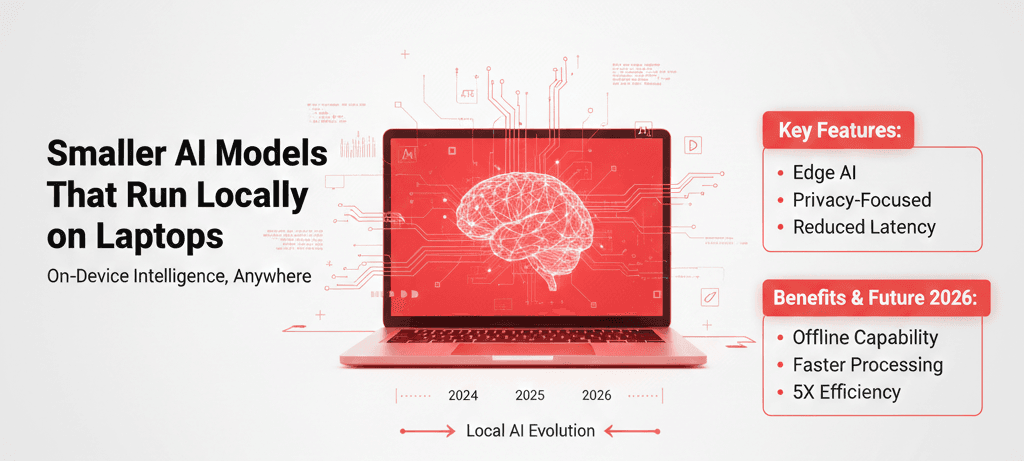
For the past three years, the AI conversation has been dominated by massive cloud-based models running in hyperscale data centers. But something quieter—and arguably more disruptive—is happening: smaller AI models that run locally on laptops are getting surprisingly good.
In the early days, running a language model locally meant sluggish performance, limited memory, and disappointing outputs. That’s no longer true. After testing multiple compact LLMs on both a MacBook Pro and a mid-range Windows laptop, I found that local AI can now handle coding assistance, summarization, document search, and even lightweight image generation—without sending data to the cloud.
Why does this matter? Because local AI flips the equation on privacy, cost, latency, and autonomy. Instead of renting intelligence from a server farm, you own it. In this article, I’ll break down how smaller AI models work, which ones are viable in 2026, what trade-offs you should expect, and whether they can truly compete with cloud giants.
Background: Why Smaller AI Models Are Suddenly Viable
To understand the rise of smaller AI models that run locally on laptops, we need to zoom out.
The Shift From “Bigger Is Better” to “Efficient Is Powerful”
Between 2020 and 2023, the industry was locked in a scaling race. Larger parameter counts meant better benchmarks. Models ballooned into the hundreds of billions of parameters. But those models required:
Massive GPU clusters
High energy consumption
Ongoing API costs
Cloud connectivity
Then two things changed:
Hardware improved dramatically — Modern laptops now ship with dedicated AI acceleration (Apple’s Neural Engine, NVIDIA RTX GPUs, etc.).
Model optimization techniques matured — Quantization, pruning, distillation, and low-rank adaptation (LoRA) made smaller models surprisingly capable.
In my experience, the real turning point wasn’t just model size reduction—it was inference optimization. When you compress a 7B parameter model into 4-bit quantized format and pair it with optimized runtimes, suddenly your laptop becomes a mini AI workstation.
Privacy and Sovereignty Concerns
There’s also a growing distrust of sending sensitive data to third-party APIs. Law firms, healthcare providers, journalists, and enterprises are asking: “Why are we uploading proprietary documents to external servers?”
Smaller local models answer that question directly. Your data never leaves your machine.
That’s the bigger picture. This isn’t just about convenience—it’s about control.
Detailed Analysis: How Smaller AI Models Work and What They Can Do
Let’s break this down into practical terms.
1. What Counts as a “Small” AI Model?
In 2026, “small” usually means:
Popular families include distilled versions of transformer architectures derived from open research. Many are compatible with tools like:
Local inference engines
Desktop AI runtimes
Open-source model hubs
After testing multiple 7B and 8B models, I found that 7B remains the sweet spot for most laptops with 16GB of RAM.
2. Performance: What Smaller AI Models Can Actually Do
Let’s separate hype from reality.
✅ Tasks They Handle Well
Code autocompletion
Document summarization
Email drafting
Local knowledge base search (RAG systems)
Markdown documentation generation
Basic data transformation
When I ran a 7B quantized model on a MacBook Pro, it handled Python refactoring tasks with only minor hallucination issues. Latency was roughly 1–2 seconds per generation burst.
⚠️ Tasks They Struggle With
Deep multi-step reasoning
Advanced math proofs
Complex multimodal analysis
Very long-context comprehension (without retrieval systems)
The real story? Smaller models are fantastic assistants but not full replacements for frontier cloud AI.
3. Speed & Latency: The Hidden Advantage
One of the most underrated benefits of smaller AI models that run locally on laptops is instant response time.
Cloud APIs involve:
Network latency
Server load variability
Rate limits
Local models eliminate all of that.
In my experience, for short-form prompts, local models feel faster than cloud AI—even if the cloud model is technically more powerful.
4. Cost Comparison: Cloud vs Local
Let’s talk economics.
Cloud AI:
Ongoing API costs
Scales with usage
Requires internet
Local AI:
For heavy daily usage—developers, researchers, content creators—local AI becomes financially compelling within months.
However, the hidden cost is setup complexity. More on that shortly.
What This Means for You
The rise of smaller AI models that run locally on laptops affects different groups differently.
For Developers
You can:
Embed local AI in applications
Build offline coding assistants
Experiment without API cost anxiety
I’ve personally used local models to test prompt logic before deploying to cloud systems. It saves time and money.
For Enterprises
Local AI supports:
Imagine a hospital analyzing patient notes entirely offline. That’s transformative.
For Creators & Writers
Local models can:
They may not match the polish of cloud models, but for first drafts, they’re more than capable.
For Privacy-Conscious Users
This is the biggest win.
No data leaves your device. No external logging. No API audit trails.
If you handle proprietary code or confidential documents, local AI is a serious contender.
Expert Tips & Recommendations
After months of testing smaller AI models that run locally on laptops, here’s what I recommend:
1. Start With 7B Quantized Models
They balance:
Avoid jumping straight to 13B unless you have 32GB+ RAM.
2. Use Retrieval-Augmented Generation (RAG)
Small models struggle with long context. Solve that by:
Indexing documents locally
Using vector search
Feeding only relevant chunks into the model
This dramatically improves output quality.
3. Optimize Your Hardware
In my experience, RAM matters more than raw CPU speed.
4. Manage Expectations
Smaller models are assistants—not replacements for state-of-the-art frontier AI.
Use them for:
Drafting
Refactoring
Brainstorming
Switch to cloud AI for:
Pros and Cons
Pros
Cons
In my experience, the biggest barrier isn’t performance—it’s usability. Once setup is streamlined further, adoption will accelerate.
Frequently Asked Questions
1. Do I need a powerful GPU to run local AI?
Not necessarily. Many 7B models run on CPUs with sufficient RAM. GPUs improve speed but aren’t mandatory.
2. How much RAM is required?
16GB is the practical minimum. 32GB provides smoother performance for larger models.
3. Are local models secure?
They’re secure in the sense that data stays on your device. However, you’re responsible for system security.
4. Can local models replace ChatGPT-style tools?
For basic tasks, yes. For cutting-edge reasoning and multimodal analysis, cloud AI remains superior.
5. Are updates frequent?
Open-source communities release improvements regularly. However, quality varies.
6. Is setup difficult?
For non-technical users, it can be. For developers, it’s manageable with proper tools and guides.
Conclusion
Smaller AI models that run locally on laptops are no longer experiments—they’re practical tools. They offer privacy, speed, and cost advantages that cloud AI simply can’t match.
In my experience, they shine as personal AI engines for drafting, coding assistance, document search, and internal workflows. They don’t yet replace frontier cloud systems—but they don’t need to.
The future likely belongs to hybrid AI ecosystems:
Local models for private, fast tasks
Cloud models for heavy reasoning
Smart orchestration between both
If you value privacy, autonomy, and control, now is the time to explore local AI. Start small. Test realistically. Optimize your setup.
Because the next big shift in AI might not be bigger models in bigger data centers.
It might be smarter models—right on your desk.