AI video is no longer a futuristic experiment—it’s becoming a core content strategy for creators, startups, and even enterprise teams. Over the past few years, I’ve watched AI video tools evolve from glitchy, awkward animations into platforms capable of producing polished marketing clips, training modules, and YouTube-ready visuals in minutes.
After spending several weeks testing leading AI video creation tools across real-world workflows—blog-to-video automation, cinematic scene generation, AI avatars, and short-form social content—I noticed something important: most reviews focus on flashy demos, but the real story is workflow efficiency and production reliability.
In this AI video creation tools review, I’ll break down what actually works, what still feels experimental, and how to choose the right AI video generator depending on your goals. Whether you’re a blogger, developer, digital marketer, or business owner, this guide will help you avoid common mistakes and build a smarter AI-powered video workflow.
Background / Why AI Video Creation Tools Matter Now
To understand where AI video stands today, we need to look at how video production has historically worked.
Traditionally, creating a high-quality video required:
Now, many AI video creation tools compress that entire pipeline into a browser interface.
What changed? Three core technologies matured at the same time:
Large language models (for script generation)
Diffusion and transformer-based video models (for visuals)
Cloud rendering infrastructure (for fast processing)
The result is a new category: AI video generators that can produce content at scale.
However, here’s the nuance most people miss: not all AI video tools solve the same problem.
Some tools specialize in:
In my experience, the biggest mistake beginners make is choosing a tool based on hype instead of workflow compatibility.
The real question isn’t “Which AI video tool is best?”
It’s “Which AI video creation tool fits your production system?”
That distinction changes everything.
Detailed Analysis of the Best AI Video Creation Tools
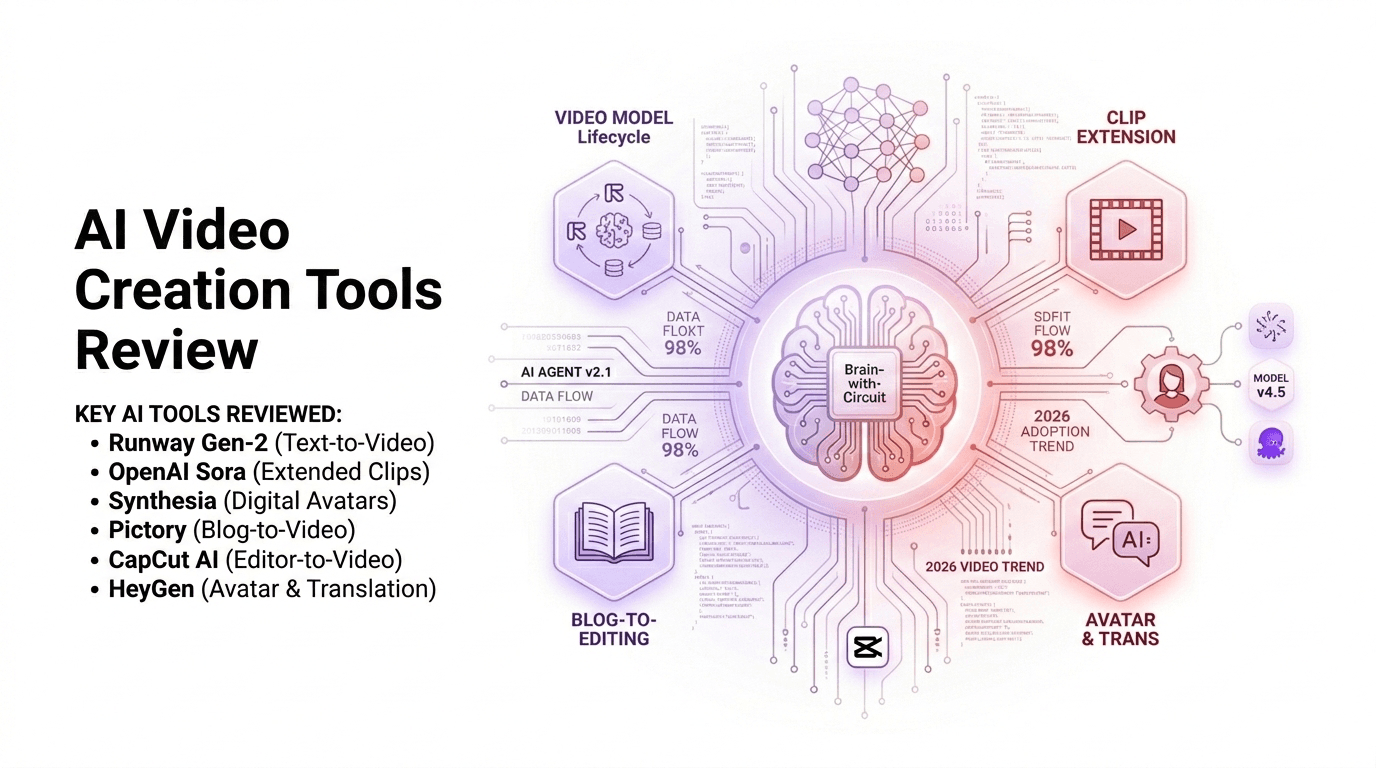
Runway – Cinematic AI Video Generation
Runway has positioned itself as a creative AI lab rather than a simple automation tool. After testing its latest video generation model, I found it produces some of the most consistent motion and lighting realism among current AI video creation tools.
What impressed me most was motion continuity. Earlier AI video tools struggled with object consistency across frames. Runway significantly reduces that issue.
Key Features:
Pros:
Strong visual realism
Useful creative controls
Good for storytelling
Cons:
Pricing can scale quickly
Prompt experimentation required
Not ideal for long-form video generation
Best For:
After testing multiple prompts, I discovered shorter, clearer prompts work better than complex cinematic descriptions. Treat it like directing a scene, not writing a novel.
Pictory – Blog-to-Video Automation Engine
Pictory focuses on efficiency rather than artistic control. It’s one of the most practical AI video creation tools for SEO bloggers and content marketers.
When I pasted a 1,200-word blog post into the platform, it automatically:
The entire process took under 10 minutes.
Pros:
Cons:
Heavy reliance on stock footage
Limited cinematic control
Output can look templated
Best For:
If your goal is content volume, this tool saves enormous time.
Synthesia – AI Avatar Video Production
Synthesia is built for corporate communication and training. Instead of generating scenes, it creates AI presenters that speak your script.
In my experience testing training modules, the lip-sync accuracy was impressive, especially in multilingual output.
Features:
Pros:
Cons:
Limited creative expression
Avatars can feel slightly robotic
Monthly subscription required
Best For:
Corporate training
Course creators
SaaS onboarding
Internal communications
This tool doesn’t try to be cinematic—and that’s actually its strength.
Luma Dream Machine – The Experimental Powerhouse
Luma’s Dream Machine feels like a glimpse into the future of AI video generation.
During testing, I noticed its motion realism sometimes exceeded more established tools—but consistency varied.
Pros:
Fast generation
Strong motion realism
High creative potential
Cons:
Experimental stability
Limited editing control
Quality varies by prompt
This tool is ideal for creators who enjoy experimenting and pushing creative boundaries.
What This Means for You
The biggest shift AI video brings is leverage.
Instead of asking, “Can I produce this video?”
You now ask, “How fast can I produce ten variations?”
For different users:
Bloggers:
Use blog-to-video automation tools to expand reach across YouTube and social platforms.
YouTubers:
Combine cinematic AI visuals with manual editing for storytelling depth.
Businesses:
Deploy AI avatars for scalable training and onboarding.
Developers:
Experiment with AI video APIs to build automated content systems.
AI video creation tools are productivity amplifiers—not creative replacements.
The advantage goes to those who integrate them into structured workflows.
Expert Tips & Recommendations
After testing multiple AI video creation tools, here are actionable insights:
Start With Script Clarity
A clear script dramatically improves output quality.
Keep Scenes Short
Most AI video generators perform best under 10 seconds per clip.
Combine Tools Strategically
Script → Automation Tool → Cinematic Enhancements → Manual Edit
Budget for Rendering Credits
Many platforms operate on credit systems.
Use AI for Drafting, Not Final Cuts
Human editing still elevates the final result.
Pros and Cons of AI Video Creation Tools
Pros:
Cons:
Inconsistent realism in complex scenes
Subscription expenses
Learning curve for prompt design
Limited control in automation tools
The real takeaway: AI video tools enhance productivity but still require human oversight.
Frequently Asked Questions
Are AI video creation tools good for monetized YouTube channels?
Yes, provided the content adds value and isn’t repetitive or low-effort. Original scripting remains crucial.
Do I need a powerful computer?
No. Most AI video generators operate in the cloud.
Can AI replace video editors?
Not yet. AI accelerates workflows but doesn’t fully replace human creativity.
Which AI video tool is best for beginners?
Automation-focused tools like Pictory or avatar-based platforms are easiest to start with.
How expensive are AI video tools?
Pricing ranges from $20/month to enterprise-level custom plans, depending on features and usage credits.
Is AI video the future of content creation?
In my opinion, yes—but hybrid workflows (AI + human editing) will dominate.
Conclusion
AI video creation tools are transforming content production faster than most creators realize. After hands-on testing, one thing is clear: the value isn’t just in automation—it’s in acceleration.
Runway excels in cinematic visuals. Pictory dominates blog-to-video efficiency. Synthesia leads in scalable corporate communication. Luma hints at the future of realistic motion generation.
The creators who will win in the next few years won’t be those who resist AI—they’ll be the ones who master it.
Start small. Build a workflow. Experiment intelligently.
Because AI video isn’t replacing creators—it’s multiplying their output.