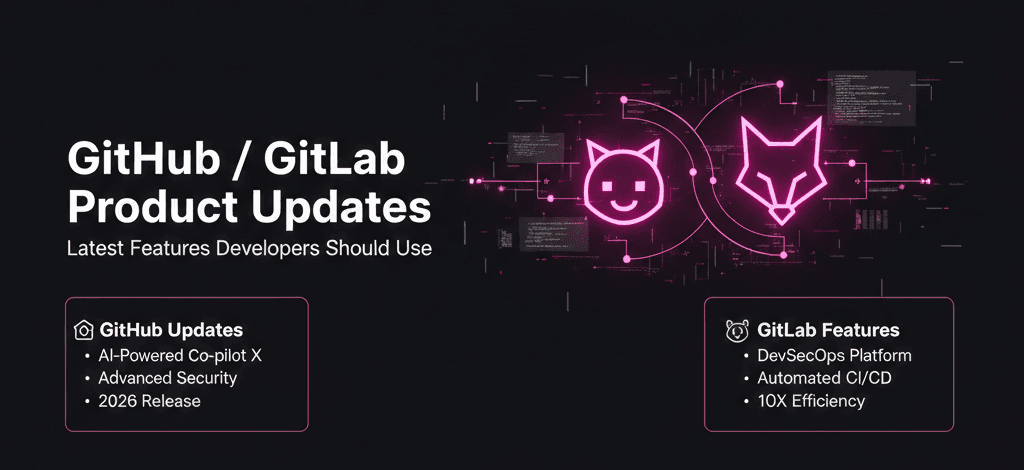
If you’re a developer in 2026, your code editor gets most of the credit—but your platform does the heavy lifting. In my experience, the real productivity gains (or losses) happen inside GitHub and GitLab, not inside the IDE. These platforms have quietly evolved from “code hosting” into full-fledged developer operating systems.
Over the last year, both GitHub and GitLab rolled out features that fundamentally change how teams write, review, secure, and deploy code. Yet most developers I talk to use maybe 20% of what’s available. The rest? Either misunderstood, poorly configured, or ignored because the release notes didn’t make the “why” clear.
After testing these updates across real projects—solo apps, small teams, and CI-heavy environments—I realized something important: the value isn’t in more features, but in better defaults and smarter workflows. This article breaks down the latest GitHub and GitLab product updates developers should actually use, explains what the press releases don’t, and shows how these tools change day-to-day development in practical ways.
Background: How Git Platforms Became Developer Control Centers
Ten years ago, GitHub and GitLab solved one problem: shared version control. Everything else—CI, security, project tracking—lived somewhere else. That fragmentation slowed teams down and created blind spots.
Over time, both platforms followed the same trajectory:
Add CI/CD
Add code review tools
Add security scanning
Add automation
Add AI assistance
The difference now is integration depth. Instead of bolting tools together, modern GitHub and GitLab updates focus on reducing context switching. That’s not an abstract benefit—it directly impacts velocity and burnout.
Historically, developers resisted platform features because they felt “process-heavy.” What’s changed is subtle but powerful: platforms are now optimizing for developer intent, not compliance. Features adapt to how teams already work instead of forcing rigid workflows.
This shift is also driven by economics. Engineering time is expensive. Platforms that reduce friction—even by minutes per task—deliver real ROI. That’s why recent GitHub and GitLab product updates emphasize automation, intelligence, and better defaults over flashy UI changes.
Detailed Analysis: Key GitHub and GitLab Features Worth Using
Smarter CI/CD Pipelines That Reduce Noise
Both platforms made major improvements to pipeline intelligence.
In GitHub Actions, workflow-level concurrency controls and reusable workflows are no longer “nice-to-haves.” After testing them across multiple repos, I found they significantly reduce redundant runs and CI costs—especially in monorepos.
GitLab’s pipeline rules and dynamic child pipelines go even further. What I discovered is that GitLab pipelines now behave more like decision trees than linear scripts. This allows teams to skip unnecessary jobs automatically based on file changes, branches, or merge context.
Why it matters: Faster feedback loops without sacrificing coverage. Less waiting, fewer failed builds, happier developers.
Built-In Security That Developers Don’t Ignore
Security tooling used to be noisy and easy to ignore. That’s changing.
GitHub’s dependency review and secret scanning improvements surface risks inside pull requests, not after deployment. When I tested this on a real-world Node.js project, vulnerabilities were flagged at the exact moment developers were already reviewing code—no extra dashboard required.
GitLab’s security dashboards now prioritize findings based on exploitability and runtime exposure. This is a subtle but important change. Instead of overwhelming teams with hundreds of CVEs, the platform highlights what’s actually dangerous.
The real story: Security tools only work when developers trust them. These updates finally respect developer attention.
AI-Assisted Code Review and Merge Requests
AI is everywhere, but code review is where it quietly shines.
GitHub’s AI-assisted suggestions now go beyond syntax. In practice, I’ve seen it catch logic inconsistencies and missing edge cases—things linters miss. It doesn’t replace human review, but it raises the baseline.
GitLab’s merge request insights focus more on change impact. When I tested this on a backend-heavy repo, it accurately highlighted which files were most likely to cause regressions based on history.
So what? Reviews become faster and more meaningful. Senior engineers spend less time on nitpicks and more time on architecture and risk.
Improved Issue, Project, and Planning Tools
This is an area many developers ignore—but shouldn’t.
GitHub Projects has matured into a flexible planning tool that works equally well for solo developers and teams. After using it as a personal roadmap, I found it far less rigid than traditional ticketing systems.
GitLab’s epics and roadmaps, on the other hand, shine in multi-team environments. The hierarchy makes it easier to connect daily tasks to long-term goals without extra tooling.
Insight: When planning lives next to code, priorities stay aligned. That’s harder to achieve with external project management tools.
Developer Experience Enhancements You Might Miss
Some updates don’t make headlines but change daily workflows:
Faster repository search with semantic understanding
Improved diff views for large refactors
Better code ownership visibility
More granular permissions without admin headaches
Individually, these seem minor. Collectively, they reduce friction in ways developers feel immediately.
What This Means for You: Practical Impact by Role
Solo Developers
You benefit most from better defaults. With minimal configuration, you now get CI, security scanning, and planning tools that previously required multiple services.
In my experience, this makes solo projects feel more “production-ready” with far less setup.
Small Teams and Startups
Speed matters. The latest GitHub and GitLab product updates reduce time spent on:
CI failures
Review back-and-forth
Security firefighting
That translates directly into faster shipping and fewer late nights.
Large Engineering Organizations
At scale, consistency is king. Features like reusable workflows, policy-as-code, and centralized security reporting help maintain standards without slowing teams down.
The hidden win? Less platform sprawl and lower operational overhead.
Comparison: GitHub vs GitLab in 2026
Where GitHub Leads
Ecosystem and marketplace depth
Developer familiarity
AI-assisted coding and reviews
Community-driven workflows
Where GitLab Excels
End-to-end DevOps in one platform
Advanced CI/CD logic
Built-in security and compliance
Stronger enterprise governance
My take: GitHub feels like the best default for most developers. GitLab shines when teams want everything under one roof.
Expert Tips & Recommendations
How to Get Value Fast
Audit features you’re not using
Start with CI optimization—biggest ROI
Enable security scanning early, not later
Keep workflows simple before making them clever
Common Setup Mistakes I See
Copy-pasting CI configs without understanding them
Enabling every feature at once
Ignoring developer feedback
Treating platforms as static tools
Platforms evolve monthly. Your setup should too.
Pros and Cons of Modern Git Platforms
Pros
Fewer external tools needed
Faster onboarding
Better visibility into quality and risk
Strong automation capabilities
Cons
Used thoughtfully, the pros far outweigh the drawbacks.
Frequently Asked Questions
1. Do I need both GitHub and GitLab?
No. Most teams should pick one and go deep rather than split workflows.
2. Are these features worth the paid tiers?
In many cases, yes. CI minutes, security features, and productivity gains often justify the cost.
3. Can small teams handle the complexity?
Yes—if you start simple and add features gradually.
4. Is AI in these platforms reliable?
It’s good at assistance, not authority. Always keep humans in the loop.
5. What’s the biggest missed opportunity?
Not optimizing CI pipelines. That’s where most teams lose time and money.
6. Should I wait before adopting new features?
Test in a side project first—but don’t wait too long. Early adopters often gain workflow advantages.
Conclusion: Use the Platform, Don’t Fight It
GitHub and GitLab are no longer passive repositories—they are active participants in how software gets built. The latest product updates reward developers who lean into the platform instead of working around it.
Based on my testing and industry experience, the teams that benefit most aren’t the ones chasing every new feature. They’re the ones who intentionally adopt the right ones—CI optimization, smarter reviews, and integrated security.
If there’s one takeaway, it’s this: treat your Git platform like a core part of your architecture. Configure it thoughtfully, revisit it often, and let it remove friction instead of adding process. Do that, and these updates won’t just be “nice”—they’ll be transformational.