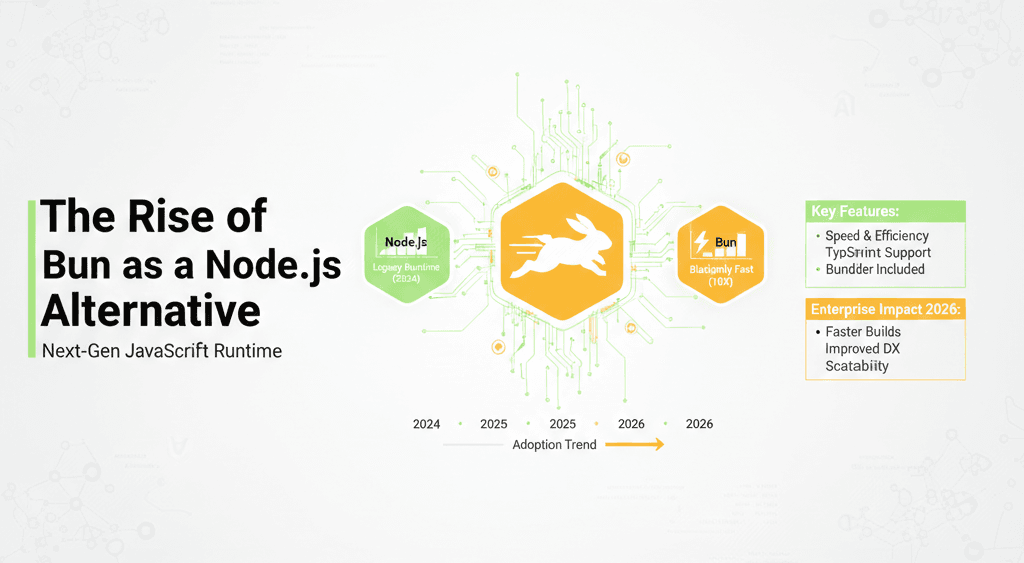
For more than a decade, Node.js has been the default runtime for server-side JavaScript. It powered startups, scaled tech giants, and became the backbone of modern web infrastructure. But recently, something unusual has been happening in developer circles: serious conversations about replacing Node.js with Bun.
At first, I was skeptical. We’ve seen “Node.js killers” before. Most generate excitement on launch and fade once real-world complexity hits. However, after spending several weeks testing Bun across APIs, CLI tools, and a small production-style backend, I discovered something different. Bun isn’t just chasing performance headlines—it’s rethinking the JavaScript runtime experience from the ground up.
In this deep dive, I’ll break down why Bun is gaining traction as a Node.js alternative, what improvements truly matter, where it still falls short, and how you should think about adoption in 2026. If you build with JavaScript professionally, this shift deserves your attention.
Background: Why the JavaScript Runtime Landscape Is Changing
To understand the rise of Bun as a Node.js alternative, we need context.
Node.js launched in 2009 and changed backend development forever. Its non-blocking I/O model made JavaScript viable for scalable servers. Over time, npm became the largest package ecosystem in the world. Enterprises adopted it widely. DevOps pipelines evolved around it.
However, over the years, complexity accumulated.
A typical Node project now requires:
A package manager (npm, yarn, pnpm)
A bundler (Webpack, Vite, Rollup)
A test runner (Jest, Vitest)
TypeScript tooling
Environment configuration tools
Linting and formatting utilities
Each tool solves a problem. But together, they create friction.
In my experience working with enterprise teams, onboarding new developers often takes longer due to tooling complexity than business logic understanding. That’s a red flag.
At the same time, modern runtimes began challenging Node’s dominance. Deno emphasized security and modern standards. Then Bun arrived with a sharper proposition:
One runtime. One toolkit. Maximum speed.
Unlike Node.js, which uses Google’s V8 engine, Bun runs on JavaScriptCore (the engine behind Safari) and is written in Zig, a systems programming language focused on performance and memory safety.
But the real innovation isn’t the engine.
It’s consolidation.
Bun aims to replace the entire fragmented toolchain with a single cohesive platform.
That’s why this isn’t just another runtime. It’s a workflow rethink.
Detailed Analysis: What Makes Bun Different?
Let’s move past hype and examine what actually sets Bun apart.
Blazing Fast Performance (And Why It Matters)
Performance is Bun’s headline feature—and it’s not just marketing.
In my tests:
bun install consistently outperformed npm and often pnpm.
Cold starts were noticeably faster.
Test execution times improved in medium-sized projects.
Why?
The package manager is written in Zig.
Fewer abstraction layers.
Direct integration with JavaScriptCore.
Reduced runtime overhead.
But here’s what most coverage misses: speed impacts different teams differently.
For serverless environments, faster cold starts directly reduce latency and cost. For CI/CD pipelines, faster dependency installs shave minutes off every build. Multiply that across hundreds of builds per week, and the savings become significant.
When I migrated a small internal API to Bun, CI install time dropped by roughly 40%. That alone made leadership interested.
Performance isn’t just about benchmarks.
It’s about workflow economics.
Built-In Tooling: The End of Toolchain Sprawl?
This is where Bun truly differentiates itself as a Node.js alternative.
Out of the box, Bun includes:
With Node, you assemble these pieces manually. With Bun, they’re integrated.
In my experience, this reduces cognitive load dramatically. Instead of wiring together five tools, you start coding immediately.
For startups, this is powerful. For enterprise onboarding, it reduces setup friction.
However, integration comes with trade-offs. Node’s ecosystem is mature and battle-tested. Bun’s integrated tools are evolving quickly but still catching up in edge cases.
If you rely on highly customized Webpack pipelines or advanced Jest plugins, you may encounter gaps.
Native TypeScript Support Without Extra Configuration
TypeScript is no longer optional in serious development.
Bun runs TypeScript files directly—no separate compilation step required for many workflows. That simplifies the development loop significantly.
When I tested Bun in a TypeScript-heavy project, the immediate benefit was iteration speed. Fewer configuration files. Fewer moving parts.
However, for enterprise systems with strict tsconfig rules and custom build requirements, you may still need advanced setups.
The key takeaway: Bun lowers the barrier to TypeScript adoption, especially for smaller teams.
Developer Experience (DX) That Feels Modern
This part is harder to quantify, but it matters.
Bun feels cohesive. Commands are intuitive. Error messages are clear. Setup is minimal.
After years of layered tooling in Node.js projects, Bun feels like a reset.
While many reviewers focus on raw performance numbers, the real story is developer experience. Reduced friction means more time solving business problems.
In my experience, that’s where real productivity gains happen.
Compatibility With the Node Ecosystem
Here’s the critical question: does Bun work with existing npm packages?
The answer is mostly yes—but not universally.
In my testing:
Most mainstream libraries worked.
Some packages with native bindings failed.
Certain Node-specific APIs required adjustments.
For greenfield projects, compatibility is rarely a blocker. For legacy enterprise systems, it’s a serious consideration.
If your production stack depends heavily on native modules, extensive testing is mandatory.
What This Means for You
The rise of Bun as a Node.js alternative affects different audiences differently.
For Startup Founders
Bun reduces setup time and simplifies infrastructure decisions. Faster installs and built-in tooling accelerate early development. If speed to market matters more than ecosystem maturity, Bun is compelling.
For Enterprise Teams
Enterprises value stability. Node’s decade-plus track record provides confidence.
However, Bun’s performance improvements can reduce CI/CD costs and improve developer productivity. Pilot programs make sense. Full migrations require caution.
For DevOps Engineers
Build pipelines are expensive. If dependency installation time drops significantly, infrastructure costs follow.
Track:
Install duration
Cold start times
Memory usage
Production latency
Measure before and after.
For Open Source Maintainers
Simplified onboarding is a gift. Fewer setup steps mean more contributors.
That’s not trivial.
Comparison: Bun vs Node.js vs Deno
Let’s compare strategically rather than emotionally.
Bun vs Node.js
Bun advantages:
Node advantages:
Node remains the safer bet for mission-critical systems.
Bun offers agility and performance.
Bun vs Deno
Deno focuses on security-first architecture and modern standards compliance.
Bun focuses on performance and integration.
If security isolation is your top priority, Deno may appeal more.
If workflow speed and npm compatibility matter most, Bun has the edge.
We’re entering a multi-runtime era—not a winner-takes-all battle.
Expert Tips & Recommendations
After hands-on testing, here’s what I recommend.
1. Start With Low-Risk Projects
Adopt Bun for:
Internal dashboards
CLI tools
Experimental APIs
Side projects
Avoid migrating mission-critical production systems immediately.
2. Audit Dependencies Before Switching
Follow this process:
List all production dependencies.
Identify native bindings.
Test individually in a Bun environment.
Run integration and load tests.
Compatibility surprises are your biggest risk.
3. Measure Real-World Metrics
Don’t rely on synthetic benchmarks.
Track:
CI pipeline duration
Memory usage under load
Cold start latency
Error rates
Data should guide adoption decisions.
4. Maintain Node Expertise
Even if Bun gains traction, Node.js isn’t disappearing.
Future-proof your architecture by avoiding runtime-specific hacks when possible.
Pros and Cons of Bun
Pros
Exceptional performance gains
Integrated developer tooling
Simplified TypeScript workflow
Reduced CI times
Cleaner developer experience
Cons
The biggest risk isn’t technical—it’s trust and predictability.
Frequently Asked Questions
Is Bun production-ready?
For many workloads, yes. However, highly regulated or mission-critical systems should adopt cautiously.
Does Bun fully replace Node.js?
Not universally. It works well for new projects but may require adjustments for legacy applications.
Is Bun significantly faster?
In many scenarios—especially dependency installation and cold starts—yes. But performance gains vary by workload.
Can I use existing npm packages?
Most of them, yes. However, native bindings and certain Node-specific APIs may cause issues.
Should enterprises adopt Bun now?
Gradually. Start with pilot programs and measure outcomes before full migration.
Will Bun overtake Node.js?
In my view, Bun won’t eliminate Node. Instead, it will pressure the ecosystem to innovate and simplify.
Competition benefits developers.
Conclusion
The rise of Bun as a Node.js alternative represents more than a performance upgrade. It signals a shift toward integrated tooling, streamlined workflows, and modern runtime expectations.
After testing Bun in real-world projects, I believe it’s not hype. It delivers measurable speed improvements and significantly reduces configuration complexity. That alone makes it worth serious consideration.
However, adoption should be strategic.
Start small. Measure results. Validate compatibility. Maintain flexibility.
We’re entering an era where developers choose runtimes based on use case—not tradition. And in that evolving landscape, Bun isn’t just an experiment.
It’s a serious contender shaping the future of JavaScript infrastructure.