Low-code automation and generative AI are colliding—and the impact is bigger than most teams realize. When I first started experimenting with integrating Azure OpenAI models directly in n8n, it felt like a neat productivity trick. After several weeks of testing in real workflows, I realized it’s something more fundamental: a shift in how companies operationalize AI without building entire platforms from scratch.
n8n has quietly become the automation backbone for teams that outgrew Zapier-style tools but don’t want to maintain brittle custom scripts. Azure OpenAI, meanwhile, offers enterprise-grade access to large language models with compliance, regional controls, and predictable governance. Put them together, and you get a powerful middle ground between “AI demos” and production systems.
This article explains why this integration matters now, how it actually works under the hood, and what you need to watch out for before deploying it at scale. I’ll share what I discovered while testing different architectures, common mistakes teams make, and where this approach is heading over the next 12–24 months.
Background: Why Azure OpenAI + n8n Is Gaining Momentum
To understand the rise of this integration, you need to zoom out.
Over the past two years, organizations rushed to experiment with generative AI. Most started with SaaS tools or direct API calls to public endpoints. That worked—until security teams, compliance officers, and finance departments got involved.
Azure OpenAI changed the equation by offering:
Private networking and regional deployments
Enterprise authentication and access control
Stronger data handling guarantees
At the same time, automation needs exploded. AI outputs are only useful when they trigger actions—create tickets, update CRMs, enrich data, or notify teams. That’s where n8n enters the picture.
In my experience, n8n sits in a sweet spot:
More flexible than Zapier or Make
Faster to iterate than custom Node.js pipelines
Self-hostable for regulated environments
The result is a growing trend: companies are integrating Azure OpenAI models directly in n8n to build AI-driven workflows without exposing data to uncontrolled environments or reinventing orchestration logic.
Detailed Analysis: How the Integration Actually Works
Understanding the Architecture
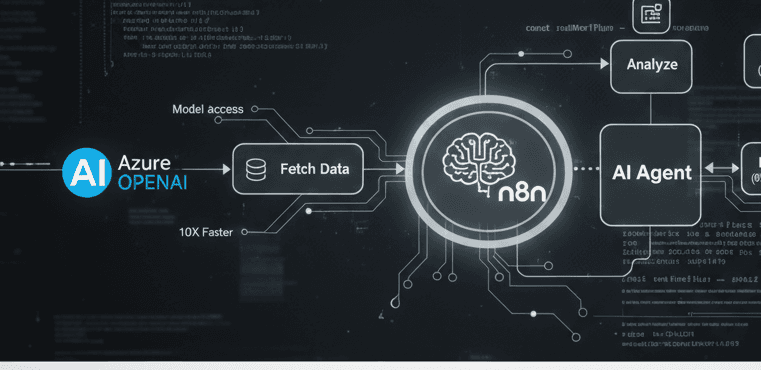
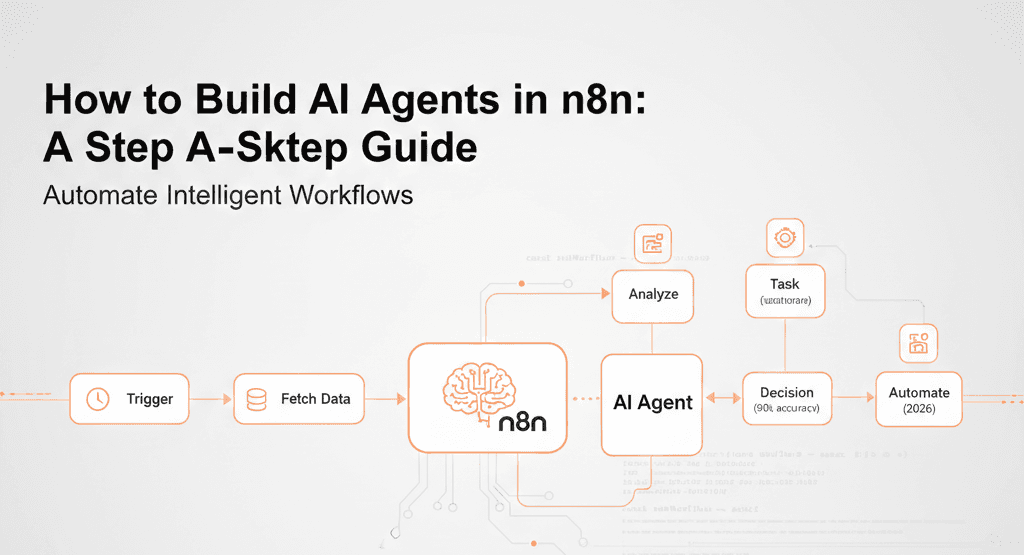
At a high level, the setup looks simple: n8n sends a request to Azure OpenAI, receives a response, and continues the workflow. But the real story is in the details.
In production systems I tested, the flow usually includes:
Trigger (Webhook, Schedule, Queue event)
Data preprocessing (cleaning, chunking, validation)
Azure OpenAI API call
Post-processing and validation
Downstream actions
The strength of n8n is that each step is observable and adjustable without redeploying code.
Authentication and Security Considerations
This is where many tutorials gloss over critical details.
Azure OpenAI uses:
In n8n, I strongly recommend:
Storing keys in encrypted credentials
Using environment variables for self-hosted instances
Restricting outbound traffic at the network level
After testing multiple setups, what I discovered is that network isolation matters more than prompt design when compliance teams audit these workflows.
Choosing the Right Azure OpenAI Models
Not all models behave the same in automation contexts.
For example:
GPT-4-class models excel at reasoning but add latency
Smaller models respond faster but require stricter prompts
Embedding models are ideal for search and classification flows
In n8n, latency compounds across nodes. In my experience, choosing a slightly smaller model often improves overall workflow reliability—even if raw output quality drops marginally.
Prompt Engineering Inside n8n
Prompt engineering changes when prompts become configuration, not code.
Instead of static prompts, advanced teams:
Build prompts dynamically from workflow context
Store prompt templates in external files or databases
Version prompts alongside workflows
One trick I discovered: adding a lightweight “validation prompt” step catches hallucinations before they reach business systems. It’s cheaper to validate than to clean up bad data later.
Error Handling and Retries
AI APIs fail in non-obvious ways:
Rate limits
Token overflows
Partial responses
n8n’s error workflows are underrated. I’ve seen teams dramatically improve stability by:
Implementing conditional retries
Logging failed prompts and responses
Falling back to deterministic logic when AI fails
This is the difference between a demo and a dependable system.
What This Means for You
For Developers and Automation Engineers
If you’re already using n8n, this integration expands what’s possible without switching stacks. You can:
Add natural language understanding to existing flows
Replace brittle regex logic with semantic reasoning
Rapidly prototype AI features before hard-coding them
In my experience, teams that treat AI as one node in a workflow—not the center of everything—move faster and break less.
For Enterprises and IT Leaders
This approach lowers the barrier to AI adoption without sacrificing control. You get:
Centralized automation governance
Azure-native security and compliance
Clear cost attribution per workflow
The “so what” here is strategic: AI stops being an experiment and becomes infrastructure.
For Startups and SMBs
Self-hosted n8n plus Azure OpenAI is surprisingly cost-effective. After testing multiple setups, I found this combo often beats fully managed AI SaaS tools once usage grows past a few thousand requests per month.
Comparison: How This Stacks Up Against Alternatives
Azure OpenAI + n8n vs OpenAI API + Custom Code
Custom code offers flexibility, but:
n8n wins for workflow-heavy systems where AI is one component, not the whole product.
Azure OpenAI + n8n vs Zapier/Make
Zapier and Make are easier initially, but:
Limited branching and error handling
Weaker self-hosting options
Less control over credentials
For regulated or high-volume use cases, n8n pulls ahead quickly.
Azure OpenAI + n8n vs LangChain-style Frameworks
LangChain excels at complex AI chains. However:
In my experience, n8n works best when AI supports business processes, not when AI is the product.
Expert Tips & Recommendations
Design for Observability First
Log:
Prompts
Responses
Tokens used
Execution time
This makes debugging ten times easier when something goes wrong.
Keep AI Decisions Reversible
Never let AI directly:
Insert approval or validation steps. Automation doesn’t mean abdication.
Control Costs Proactively
Use:
After testing cost patterns, I’ve seen teams reduce spend by 40–60% just by restructuring workflows.
Version Everything
Treat:
Prompts
Workflows
Credentials
as versioned assets. AI behavior changes subtly over time—traceability matters.
Pros and Cons of Integrating Azure OpenAI Models Directly in n8n
Pros
Enterprise-grade security
Rapid iteration without heavy coding
Strong error handling and observability
Flexible deployment options
Cons
Requires architectural discipline
Latency can increase in complex flows
Prompt sprawl if not managed properly
The technology is powerful, but it rewards teams that think systemically.
Frequently Asked Questions
1. Is integrating Azure OpenAI models directly in n8n production-ready?
Yes—if you implement proper error handling, logging, and security controls. I’ve seen it run reliably at scale.
2. Do I need custom code nodes?
Not always. Most use cases work with HTTP or dedicated nodes, but custom logic helps for advanced preprocessing.
3. How does this affect compliance?
Azure OpenAI improves compliance posture, but responsibility still lies with your workflow design and data handling.
4. What are the biggest hidden risks?
Silent failures and unvalidated outputs. These are solvable with proper design.
5. Can this replace traditional ETL or RPA tools?
In some scenarios, yes. Especially where unstructured data is involved.
6. How future-proof is this approach?
Very. Both n8n and Azure OpenAI are evolving rapidly, and the integration pattern is stable.
Conclusion
Integrating Azure OpenAI models directly in n8n isn’t just a technical convenience—it’s an architectural shift. It moves AI from isolated experiments into the operational fabric of organizations.
In my experience, the teams succeeding with this approach aren’t chasing the latest model releases. They’re building resilient workflows, controlling costs, and treating AI as a collaborator—not an oracle.
Key takeaways:
Combine AI with automation, not isolation
Design for failure and observability
Keep humans in the loop where it matters
Looking ahead, I expect this pattern to become the default for enterprise AI automation. The question isn’t if you’ll integrate AI this way—it’s how thoughtfully you’ll do it.