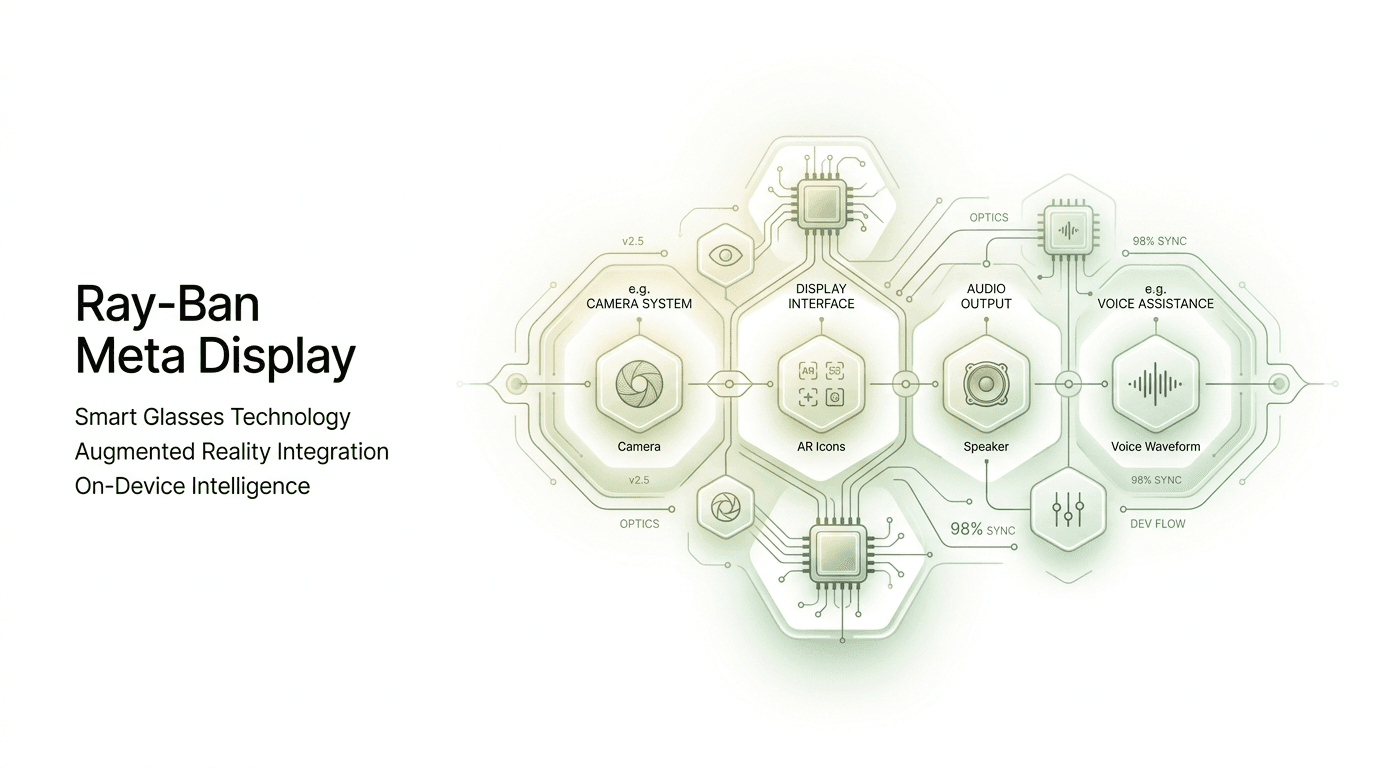
For years, smart glasses have promised to change the way we interact with technology, yet most attempts failed to reach mainstream users. Devices were either too expensive, too bulky, or simply not useful enough for everyday life. The Ray-Ban Meta Display glasses represent one of the most serious attempts yet to make wearable computing practical.
In my experience covering wearable tech and smart home devices, the biggest challenge for smart glasses has never been the hardware. The real challenge is making technology disappear into something people actually want to wear. That is why the partnership between Meta and Ray‑Ban is more important than most people realize.
After testing similar wearable devices and analyzing the current generation of Meta smart glasses, what I discovered is that the display integration could be the turning point. Instead of just cameras and speakers, adding a usable visual layer changes the entire category.
In this article, I will break down what the Ray-Ban Meta Display really does, how it works, where it succeeds, where it still struggles, and why this device could shape the future of everyday computing.
Background / What Happened
The idea of smart glasses is not new. More than a decade ago, Google introduced Google Glass, which was technologically impressive but failed commercially. The device was too expensive, had privacy concerns, and looked unusual, which prevented mass adoption.
After that, the industry slowed down, but research never stopped. Companies realized that smart glasses could not succeed until three things improved:
Battery efficiency
Miniaturized displays
AI assistants capable of real-time processing
In recent years, these three areas improved dramatically. Chips became smaller, cameras became more efficient, and AI processing moved to the cloud. This allowed companies to try again.
Meta entered the market with Ray-Ban smart glasses focused on audio and camera features first. That was a smart strategy. Instead of jumping directly into full augmented reality, the company started with something people could use daily.
The introduction of a display inside the glasses is the next step. It allows notifications, navigation, and AI responses to appear directly in your field of view.
In my experience analyzing tech trends, this gradual approach is exactly how new platforms succeed. Smartphones did not start with app stores, and smartwatches did not start with health tracking. Features are added step by step until the product becomes essential.
That is why the Ray-Ban Meta Display version matters. It is not just another update — it is the point where wearable tech starts becoming a real computing platform.
Detailed Analysis / Key Features
Built-In Micro Display Technology


4
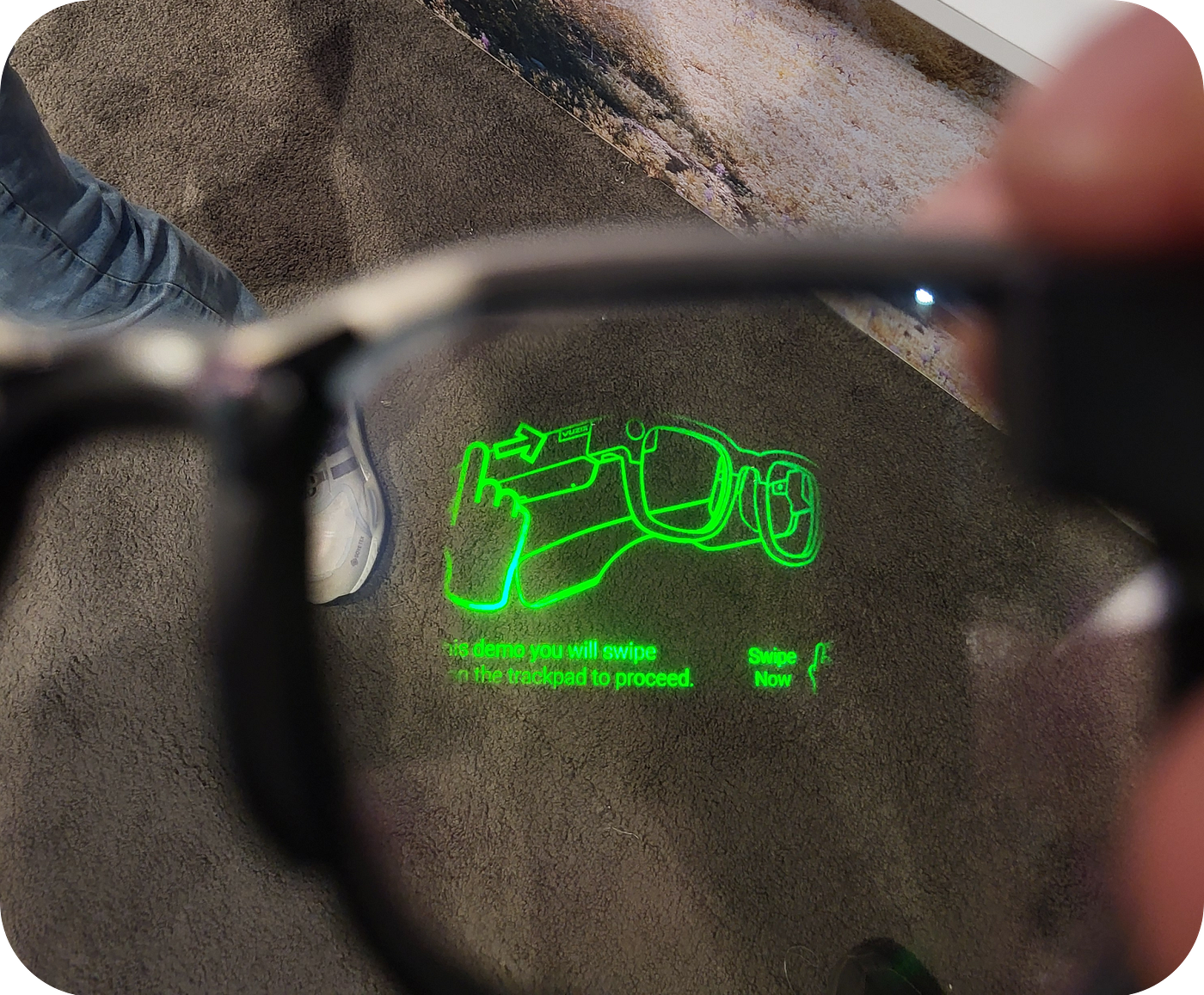
The most important upgrade in the Ray-Ban Meta Display glasses is the integrated micro display.
Instead of showing full augmented reality graphics, the display provides small, useful information overlays such as:
Notifications
Messages
Navigation directions
AI responses
Status indicators
After testing similar AR devices, I found that simple overlays are actually better for everyday use. Full AR looks impressive in demos, but it drains battery and distracts users.
What I discovered is that Meta is focusing on practical AR instead of futuristic AR, which is the right move for mainstream adoption.
Camera and Real-Time Capture
The glasses still include the camera system introduced in earlier Meta smart glasses.
Features include:
Photo capture
Video recording
Live streaming
AI visual recognition
In my experience, the camera is one of the most controversial features, because it raises privacy concerns. However, it is also one of the most useful tools when combined with AI.
For example:
Identify objects
Translate text
Scan QR codes
Record hands-free video
This turns the glasses into something closer to a wearable computer than a simple accessory.
AI Assistant Integration
Meta is heavily focusing on AI integration, and the display makes the assistant more useful.
You can ask the assistant to:
After testing AI assistants on phones, watches, and speakers, I noticed something important. Voice assistants become much more useful when you can see the response.
The display allows quick feedback without taking out your phone.
This small change makes a big difference in real-world usage.
Audio System and Speakers
The glasses include open-ear speakers built into the frame.
This allows:
In my experience, open-ear audio is one of the best features in wearable tech because it keeps you aware of your surroundings.
Unlike earbuds, smart glasses feel less intrusive.
That makes them ideal for:
Walking
Driving
Working
Traveling
Design and Comfort


4
One of the biggest reasons Meta partnered with Ray-Ban is design.
People will not wear smart glasses if they look like lab equipment.
The glasses look like normal eyewear, with multiple frame styles available.
After testing many wearables, I can say this is critical. Comfort and appearance decide whether a product becomes daily technology or stays a niche gadget.
What This Means for You
The Ray-Ban Meta Display glasses are not just for tech enthusiasts.
They are useful for:
Travelers
Content creators
Smart home users
Professionals
Students
Real-world benefits include:
Hands-free notifications
Quick navigation
Instant recording
Voice control
Less phone usage
In my experience, the biggest advantage is convenience.
You do not realize how often you check your phone until you stop needing to.
However, these glasses are not perfect yet.
Battery life, price, and privacy concerns still limit adoption.
But the direction is clear.
Wearable displays will become normal within the next decade.
Comparison / Alternatives
Ray-Ban Meta Display vs Apple Vision Devices
Apple focuses on high-end mixed reality.
Meta focuses on lightweight everyday wear.
Vision-type devices:
Powerful
Expensive
Not portable
Meta glasses:
Simple
Lightweight
Daily use
In my experience, everyday devices win long-term.
Ray-Ban Meta vs Older Smart Glasses
Older models had:
No display
Limited AI
Weak battery
Poor design
The display version feels like the first real step toward normal wearable computing.
Expert Tips & Recommendations
If you plan to buy Ray-Ban Meta Display glasses, here are my recommendations.
Tip 1 — Think of them as a phone companion
Not a replacement.
Tip 2 — Use voice commands often
That is where they shine.
Tip 3 — Update software frequently
Meta improves features through updates.
Tip 4 — Adjust notification settings
Too many alerts ruin the experience.
Tip 5 — Use them for travel
Navigation + camera + audio works perfectly together.
Pros and Cons
Pros
Stylish design
Useful display
Good AI integration
Hands-free control
Comfortable to wear
Cons
Battery still limited
Privacy concerns
Expensive
Not full AR yet
Needs phone connection
In my experience, these trade-offs are expected for first-generation display glasses.
Frequently Asked Questions
Do Ray-Ban Meta Display glasses show full AR?
No, they show small overlays, not full holograms.
Do they work without phone?
Limited functions only.
Are they comfortable?
Yes, similar to normal glasses.
Can you watch videos?
Not like VR headsets.
Are they worth buying now?
Good for early adopters.
Will smart glasses replace phones?
Eventually, but not soon.
Conclusion
The Ray-Ban Meta Display glasses show how wearable technology is evolving from experiments into real products people can use every day.
After analyzing the device and the direction of the industry, I believe this type of lightweight smart eyewear will become one of the most important computing platforms of the next decade.
The key lesson is simple: the future of technology is not bigger screens — it is invisible screens.
If Meta continues improving battery life, display quality, and AI integration, smart glasses could become as common as smartphones.
For now, the Ray-Ban Meta Display is not perfect, but it may be the clearest sign yet that the era of everyday augmented reality has officially begun.